Service or job details
Add project name, deliverables, file handoff and client approval reference.
graphic designer invoice template
Use this graphic designer invoice format to turn real work into a clear, professional bill. It includes practical line items, customer-ready descriptions and GST-ready fields so the customer can understand what was delivered and what they need to pay.
ShapeMint Design
Sample GST invoice
INVOICE
INV-SAMPLE-001
05 Jul 2026
Bill to
KindRoot Organics
Billing model
Design deliverables + revisions + licence
Logo design
Final logo and brand mark
₹22,000
Packaging artwork
Three label designs
₹18,000
Extra revisions
Two approved changes
₹4,000
Required details
Start with invoice number and dates, supplier and customer details, then add these profession-specific details before calculating the final amount.
Add project name, deliverables, file handoff and client approval reference.
Separate design fee, revisions, rush fee, stock assets and usage licence.
Mention tax, due date and whether source files are included.
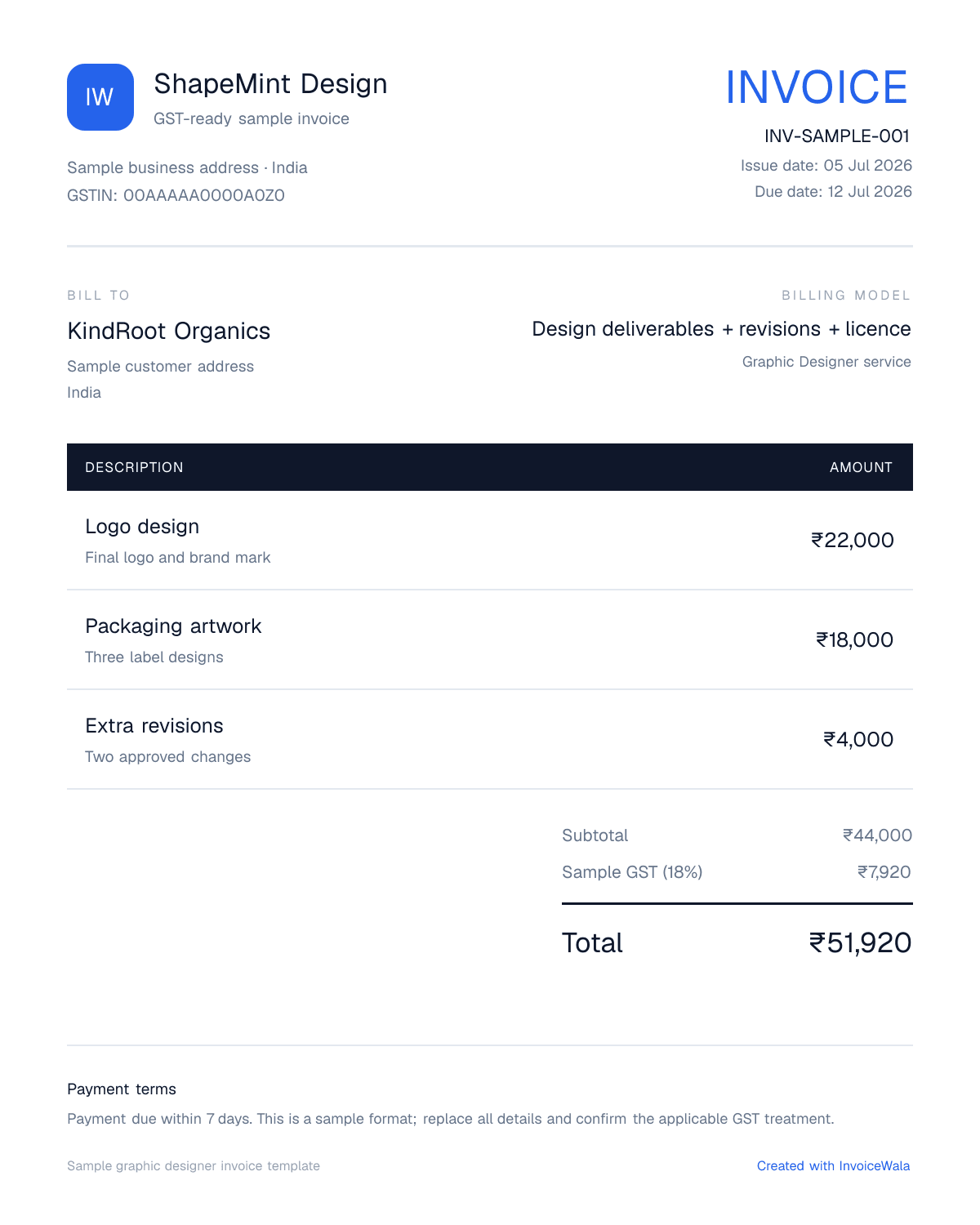
Invoice image example
Use this visual as a formatting reference. Replace every sample name, amount and service with the real details of your transaction before sending an invoice.
The image is generated specifically for this profession and uses illustrative data.
Practical billing tips
Common mistakes
Avoid writing only graphic designer services. Add enough detail for the customer to match the invoice with the actual work.
Include dates, location, order reference, package or milestone details when they affect payment approval.
Questions answered
Include business and customer details, invoice number, date, service description, quantities, rate, taxes, total amount and payment instructions.
Yes. The page is structured as a practical bill format with sample line items that you can recreate in InvoiceWala.
Yes. Add GSTIN, place of supply, HSN/SAC, tax rate and the correct tax split when they apply to your transaction.
You can create the invoice in InvoiceWala, preview it and download or save the PDF after signing in.
Yes. Replace all sample names, descriptions, dates and amounts with your actual customer and job details before sending the invoice.
Next useful step
Continue with the next practical step: calculate tax, create invoice numbers, send reminders or issue receipts.
Related formats